
The WeldExp Modules database is not used only for storing and querying data. The system also includes file-management modules that support documentation, data transfer, backup and document-template management for ClientDB data.
The individual modules solve different tasks, but they share a common principle: they create usable files from information already available in the database, or connect file-based workflows to the WeldExp system.
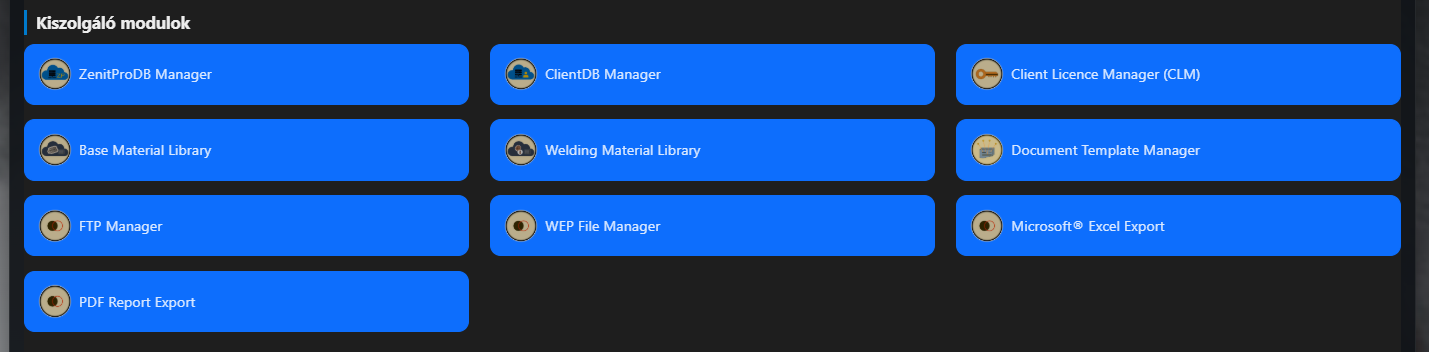
The current file-management toolset covers five important areas: Document Template Manager templates, Excel/CSV export, PDF documentation, encrypted WEP backup files, and the FTP/FTPS connection used for custom templates. These tools are available among the WeldExp service modules alongside ClientDB Manager, licence management and the shared material libraries.
Document Template Manager – documents from templates
The purpose of the Document Template Manager (DTM) is to create consistent technical documents from WeldExp module data. In the template catalogue, documents can be searched by source module, category and name; the selected template also shows the usable formats and the placeholder elements that can be inserted into the document.
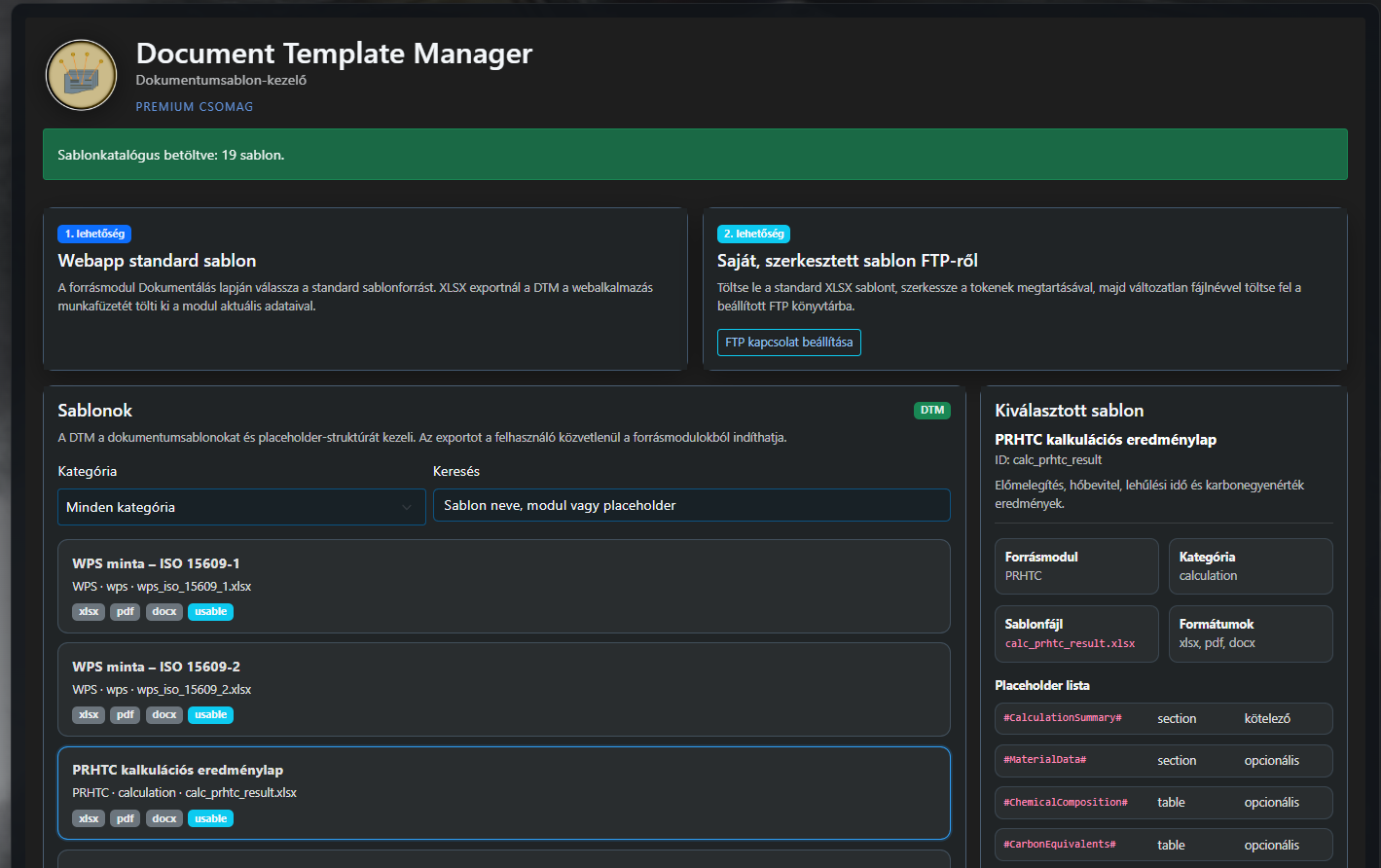
The system supports two types of template sources. Standard templates can be used directly from the web application, so the user does not need separate file management. A custom edited XLSX template can also be used: the standard template can be downloaded, its visual elements modified, and then uploaded to the user's FTP directory under the same filename while preserving the tokens.
This solution is particularly useful when the same technical data must be presented with a corporate header, custom branding or an individual document structure. DTM is therefore not simply a file export function, but the connection between the database and controlled document generation.
XLSX and CSV export – data for further processing
The Excel Export module creates downloadable files directly from the permitted ClientDB tables. The user can select a complete database export or only the tables required for a given task.
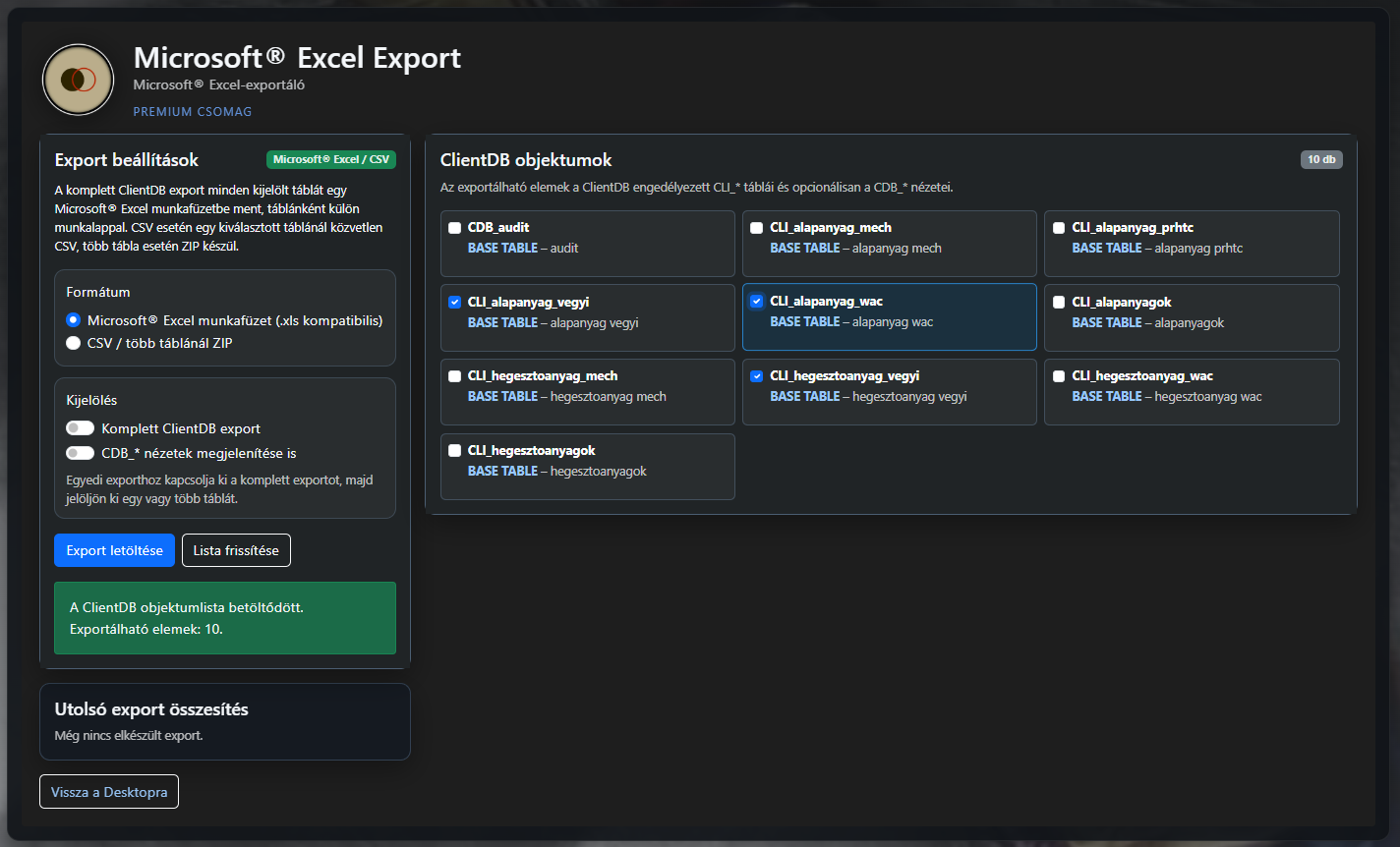
For Excel output, the selected tables are placed on separate worksheets. The module also supports CSV format; when several tables are selected, they can be downloaded together in a ZIP package. ClientDB views can also be included among the exportable objects when required.
This type of export is especially useful when the data is needed for further calculations, custom reports, verification or processing in another system. The file-management interface works directly from the list of database objects, so general export tasks do not require manual copying or separate SQL queries.
PDF Report Export – documenting the database
PDF Report Export serves a different purpose from tabular export. Instead of creating a working file for further data processing, it creates readable documentation for selected ClientDB objects.
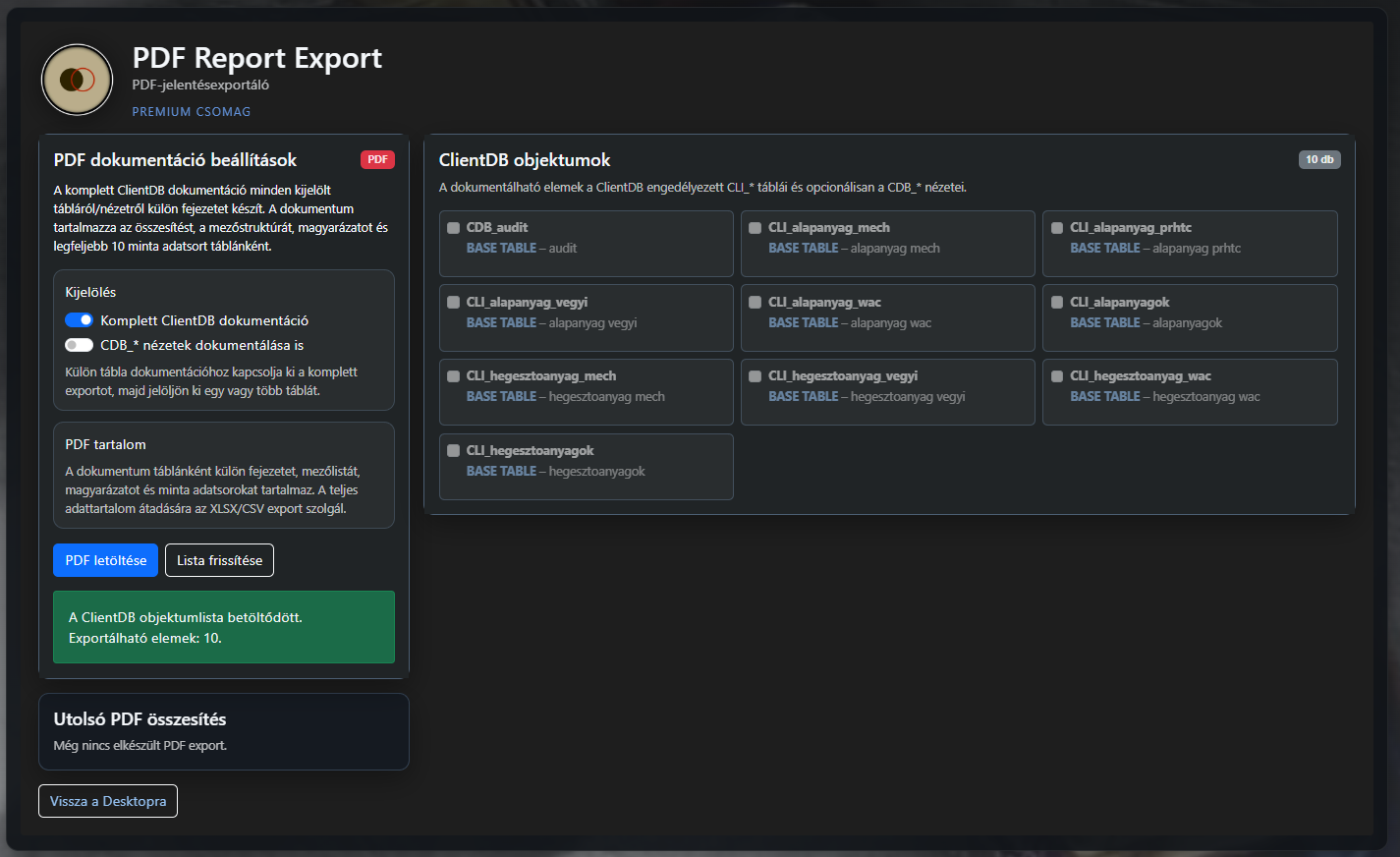
Complete ClientDB documentation can create a separate chapter for every selected table or view. The document can include a summary, field structure, explanation and up to ten sample data rows. If full database documentation is not required, individual tables can also be selected.
The PDF output can therefore be used for technical overviews, documenting the data structure, coordination work or creating an archivable snapshot. It presents the same database objects used by the Excel/CSV export, but for a different purpose.
WEP File Manager – encrypted database backup
The WEP File Manager provides portable encrypted backups of ClientDB. A .wep file can contain a complete ClientDB backup, while for a partial backup the user can also define which data groups are included.
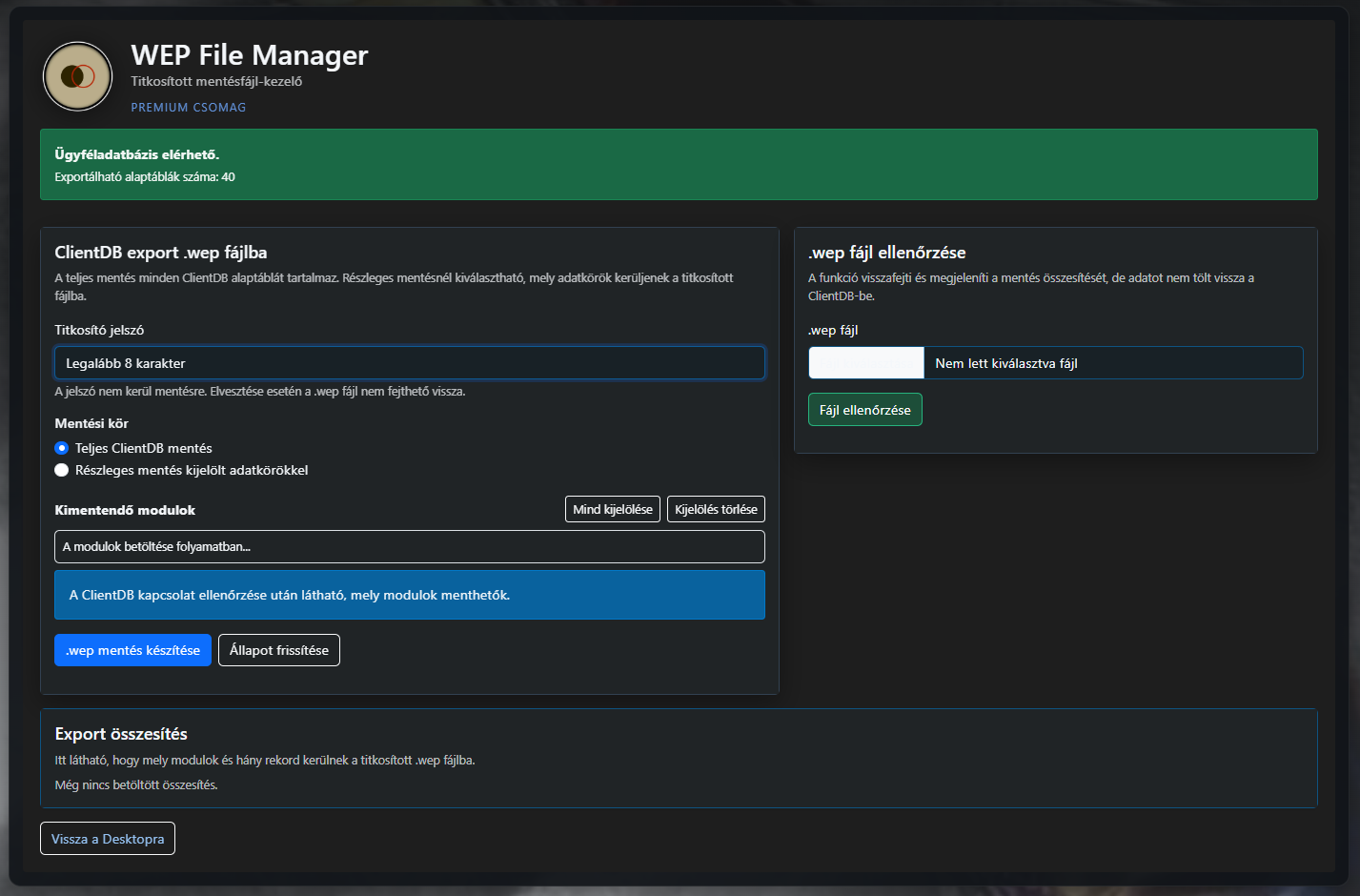
A password is required to encrypt the backup. The interface explicitly warns that the password is not stored, so if it is lost the encrypted WEP file cannot be decrypted. This deliberately separates the backup file from the secret required to access it.
The module also includes a file-checking function. An existing .wep file can be decrypted and its backup summary displayed without restoring the data to ClientDB. This allows the contents of a backup to be inspected before an actual restore.
FTP Manager – secure access to custom DTM templates
The FTP Manager primarily provides the user connection for custom DTM document templates. Standard DTM templates can be used without FTP settings, but for a custom template the edited XLSX file must be uploaded to the specified remote template directory.
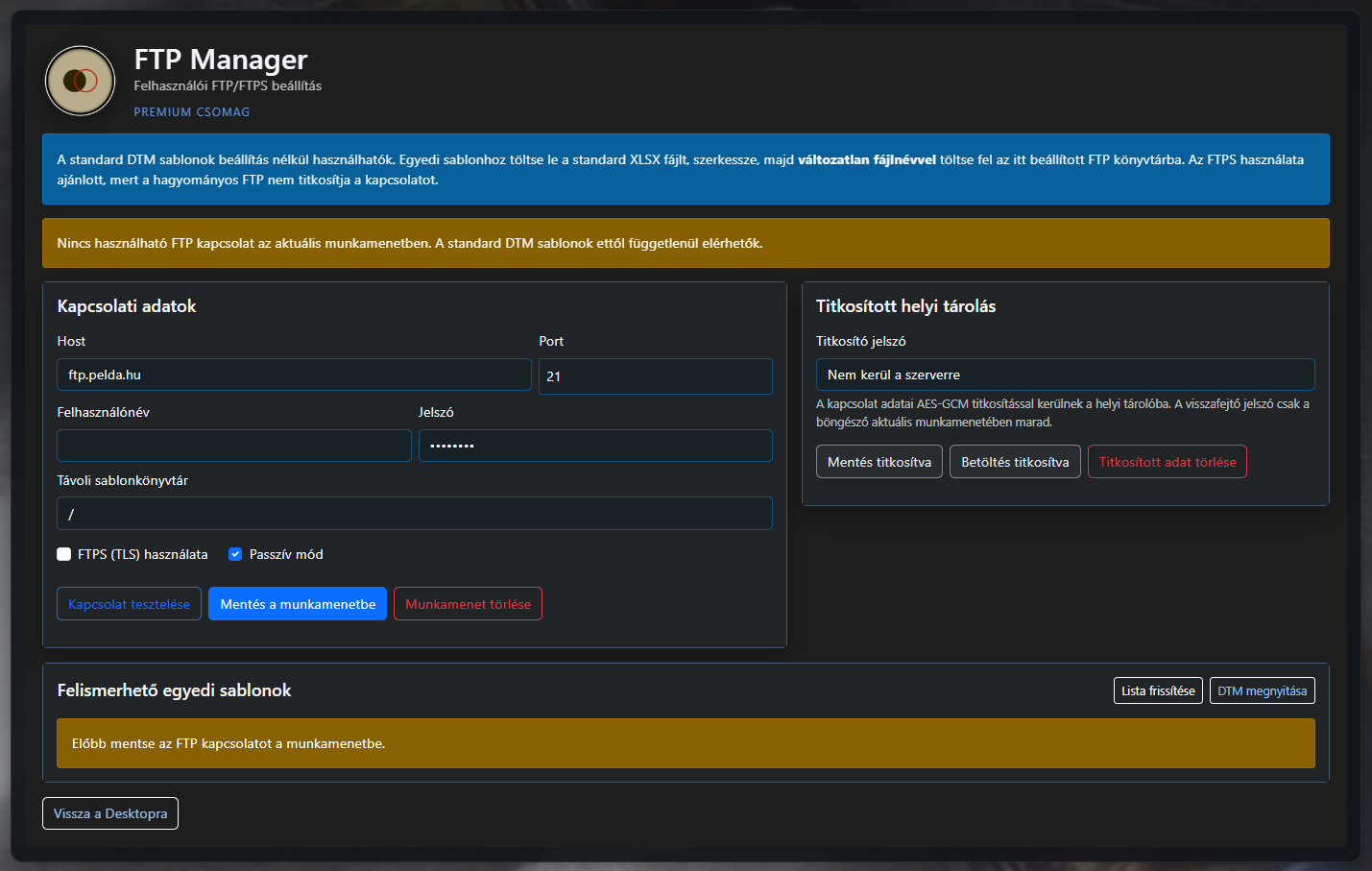
The connection settings include the server, port, username, password and remote directory. The module supports FTPS (TLS) and passive mode, and also provides a separate connection-test function.
The connection can be saved temporarily for the current session, while encrypted local storage can also be selected. According to the interface, the connection data is stored locally using AES-GCM encryption, while the password used for decryption remains only in the current browser session. This enables convenient reuse without storing access data in readable form.
A shared file-management layer around ClientDB
Together, the file-management modules form a layer around the WeldExp Modules database that separates data management from the purpose of the generated files.
- DTM: controlled, template-based technical document generation;
- XLSX/CSV: data transfer and further processing;
- PDF: readable and archivable database documentation;
- WEP: encrypted, portable ClientDB backup;
- FTP/FTPS: management and secure access for custom DTM templates.
The goal is not to use the same file format for every task. WeldExp Modules instead provides separate tools for documentation, data export, backup and custom template management. In this way, data stored in ClientDB can be reused from the same source but always in a form appropriate to the given workflow.