
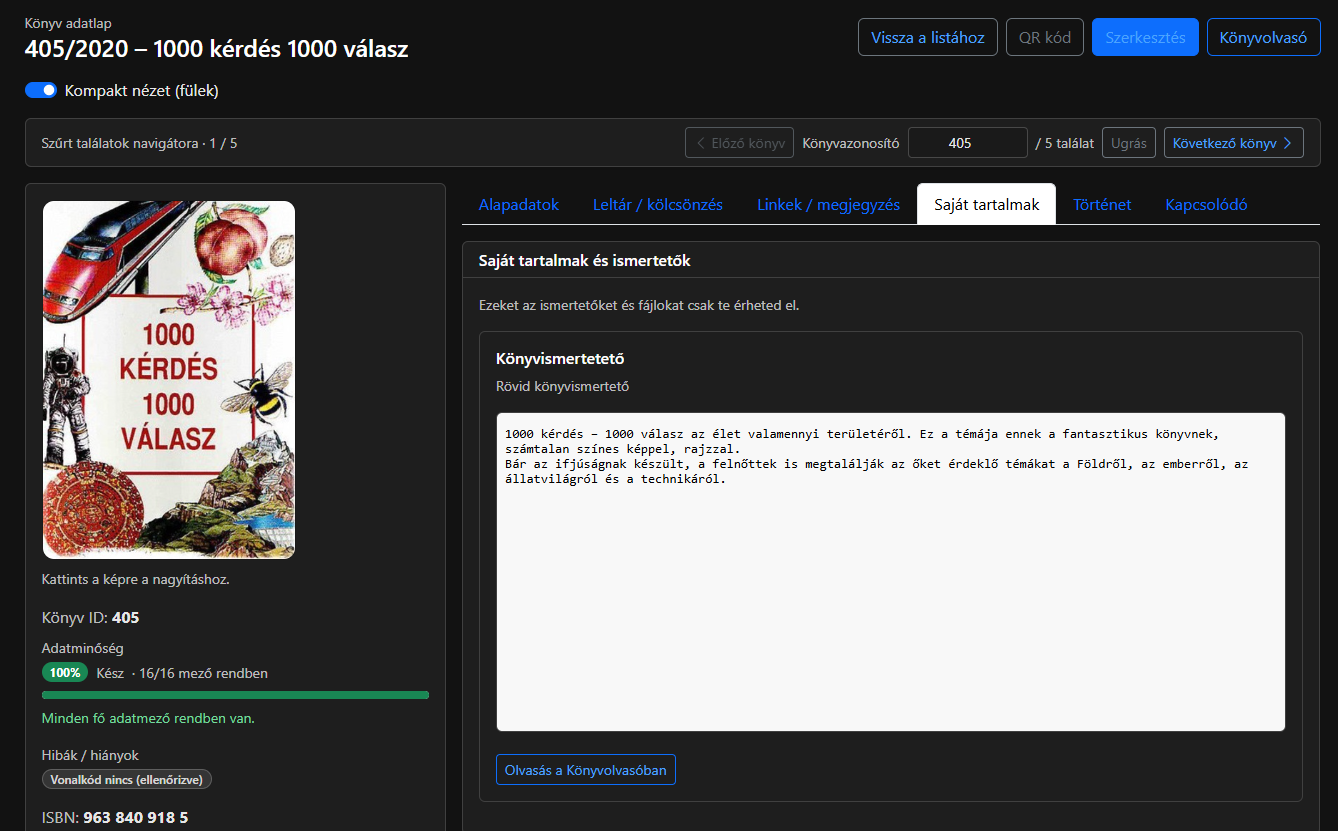
Zenit Books now lets you attach personal reviews and PDF or TXT files to books. Your reading notes and supporting documents remain close to the catalogue record.
Your notes alongside each book
Write a short summary, a detailed review or personal reading notes directly in the editor. You can also upload PDF and TXT files, give content a title and description, and edit or delete it later.
For example, collect the main ideas of a technical book, write a personal review of a novel or attach your own supporting material.
Read from the book record
The personal content and reviews section brings together your materials for the book. In compact view it appears on its own Personal content tab.
Read the review in the record or use the Book Reader button to open the reading view. The reader supports text and PDFs. Attachments can also be opened separately or downloaded; embedded PDF viewing depends on browser support.
A separate editing tab
Use the Content and reviews tab in the book editor to add a review or upload a file. Edit the title, description and text there, or replace an attachment. Save a new book before adding personal content.
The book record is for reading and reviewing finished materials; editing takes place on the separate content tab.
Personal content belongs to your account
Reviews and documents are kept separate for each user. In the application, you can access your own content; other users cannot see it. This adds a personal layer of notes and documents to the shared catalogue.
The system logs creation, editing and deletion without putting personal text or file content in the shared book log.
The new feature helps organise both your book collection and the personal knowledge associated with it.