
Clear library management through a web interface
The Book Register is a modern, clean web-based system that helps manage a book collection quickly and accurately. Book data is available in a consistent, searchable and filterable structure, so the register does not rely on manual records or spreadsheets but on reliable data management.
The structure of the system follows practical use: books, saved lists, inventory, statistics and reports, and reference tables can each be managed in dedicated modules.
Books – fast search and a clear list
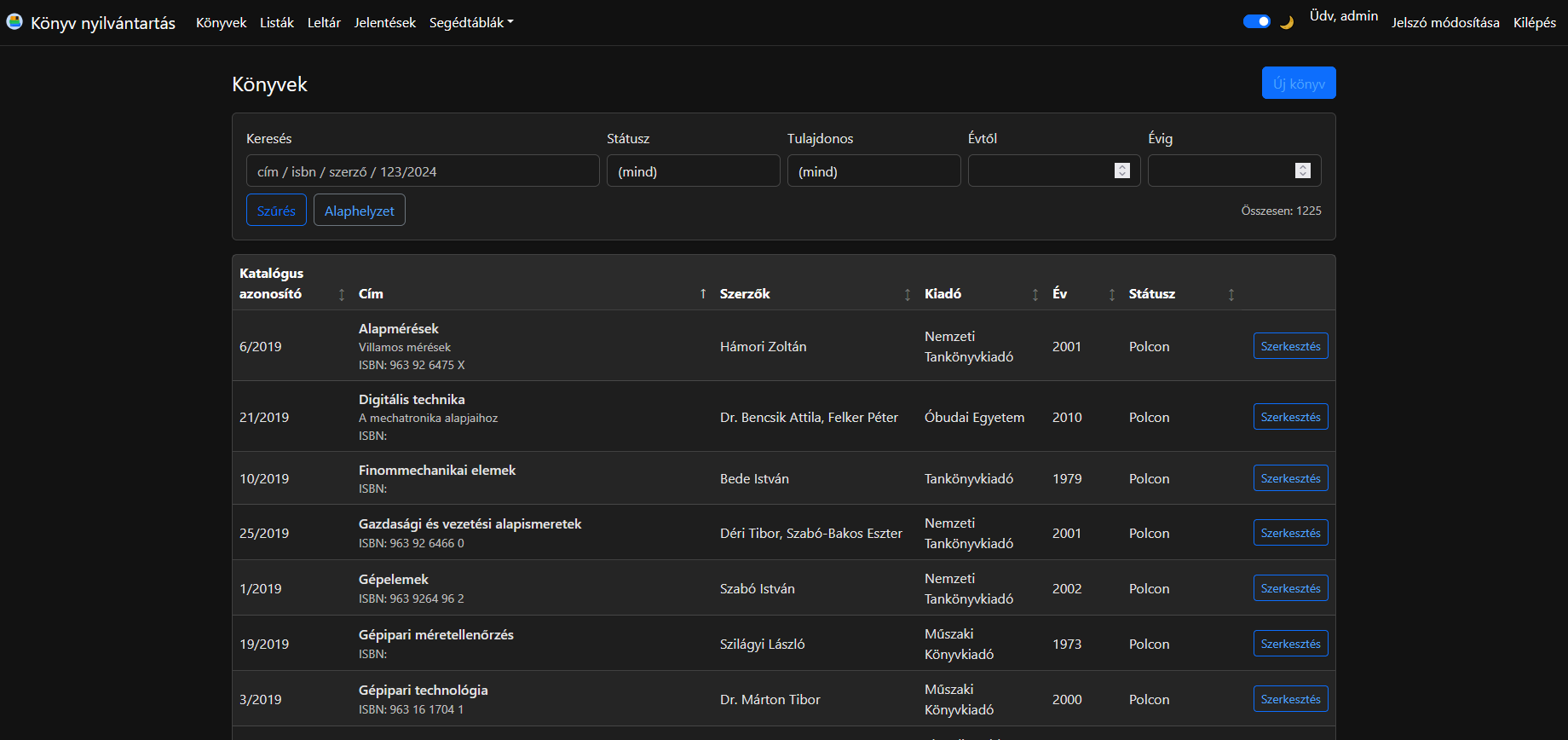
On the Books page, the complete collection appears in a table with the most important fields:
- catalogue identifier
- title
- author(s)
- publisher
- year
- status
The filter bar at the top can narrow the list immediately:
- Search: from a single field by title, ISBN, author or catalogue identifier.
- Status: for example On shelf, Withdrawn or not specified.
- Owner: filter by owner.
- From year / To year: publication-year interval.
An Edit button is available for every record on the right side of the table, allowing the book data to be changed. A new record can be added with the New book button at the top of the page.
Lists – saved filters and custom collections
The purpose of the Lists module is to save frequently used filters and collections. Two main sections work together here.
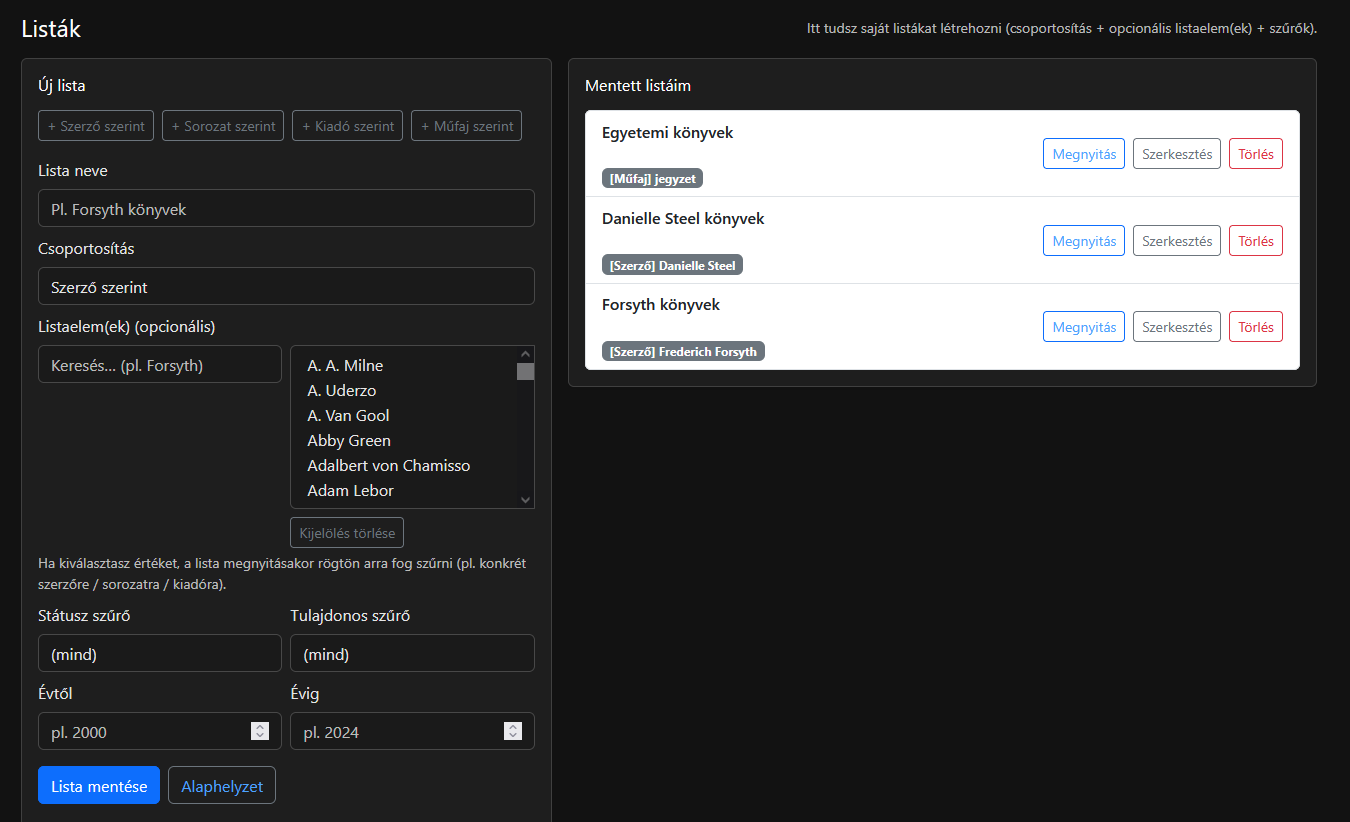
Creating a new list
The panel on the left lets you specify:
- List name
- Grouping: for example by author, series, publisher or genre.
- List item(s), optionally: specific values such as an author or publisher. If a value is selected here, the list is automatically filtered to it when opened.
- Status filter, owner filter and year interval: these can also be stored as part of the list.
The Save list button stores the assembled rules so they can later be reused with one click.
Managing saved lists
The panel on the right contains the My saved lists section, with the following actions for each list:
- Open: loads the list immediately with its configured filters.
- Edit
- Delete
Labels such as [Author] or [Genre] are also shown under the lists, making it immediately clear what each list is based on.
Inventory – batch processing for fast work
The Inventory module is designed specifically to let several books be inventoried quickly at the same time with controlled saving.
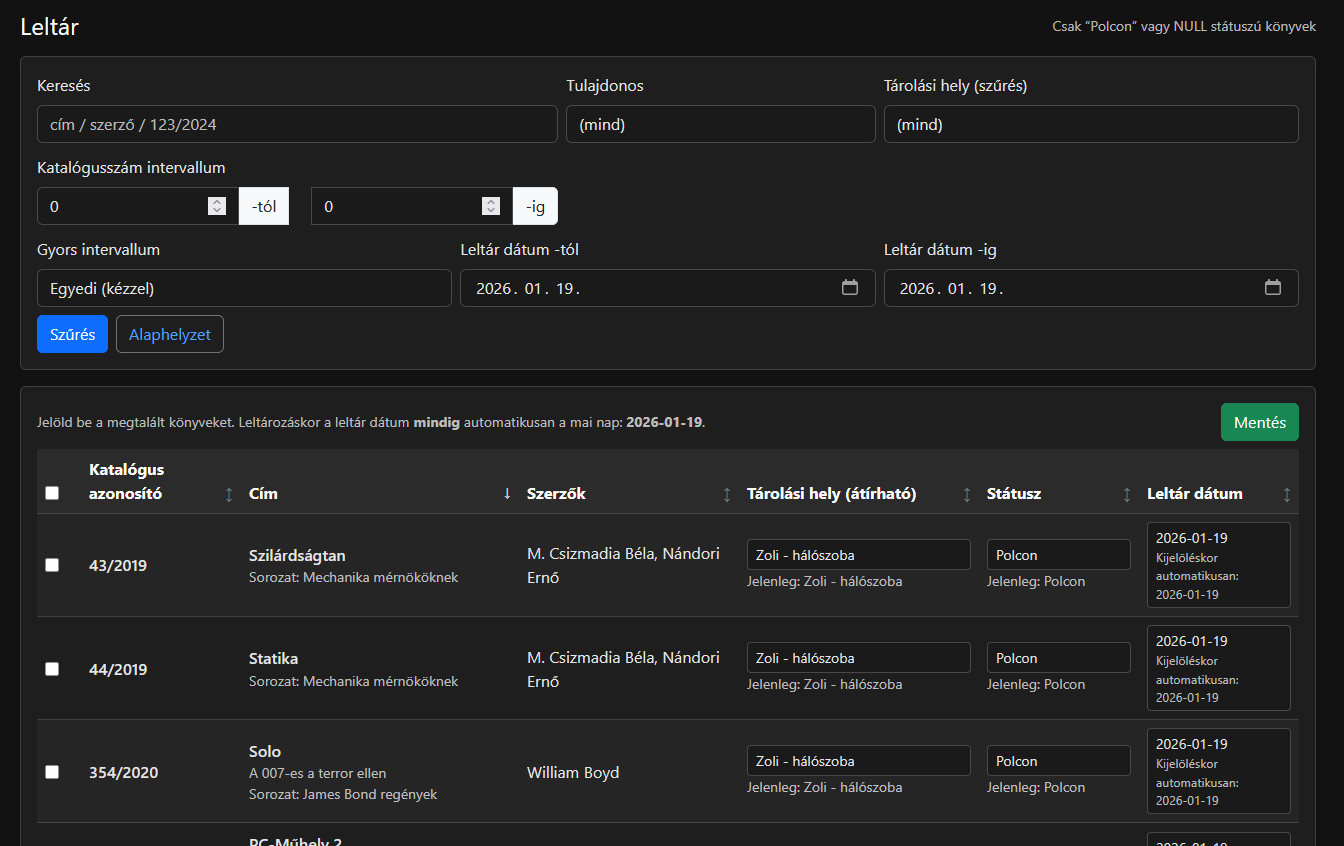
Filtering for inventory work
Several filters at the top help ensure that only relevant items are displayed:
- Search: by title, author or catalogue identifier.
- Owner
- Storage location
- Catalogue-number interval
- Inventory-date interval
- Quick interval: predefined or custom setting.
The purpose of filtering is to reduce the inventory work to a genuinely manageable list.
How inventory works in the table
After filtering, the books appear in a table, with each row containing:
- a checkbox; only selected books are saved
- book data: catalogue identifier, title and author
- Storage location: editable field
- Status: selectable field
- Inventory date: when selected, it is automatically set to the inventory date defined by the system
The Save button records changes to the selected rows. The interface also shows current values separately, such as storage location and status, so during inventory work it is clear what the current state is and what will be changed.
Reports – statistics and exports in one place
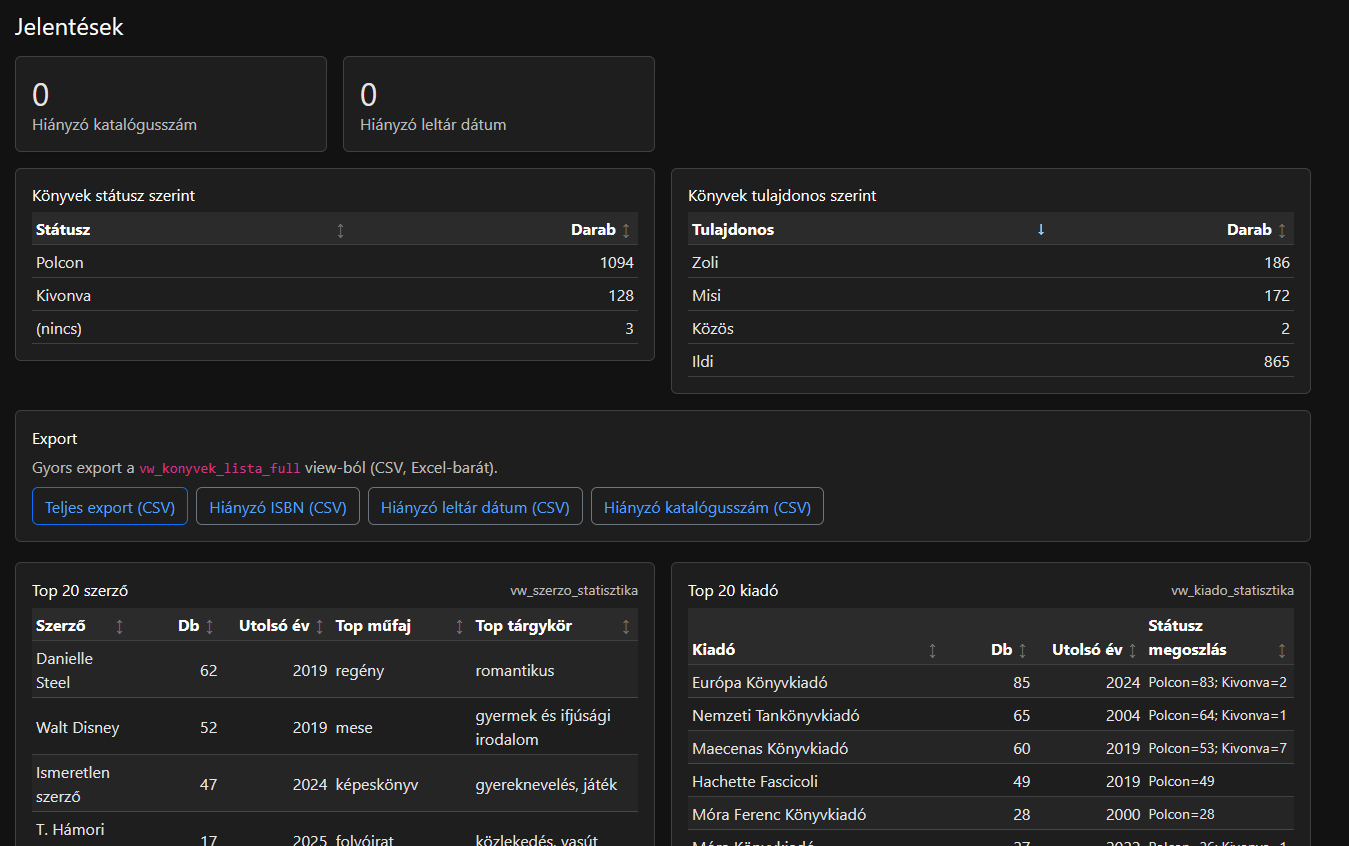
The Reports page provides a quick overview of the collection.
Status cards
Highlighted summaries include, for example:
- missing catalogue number
- missing inventory date
Breakdowns by status and owner
Tabular summaries include:
- Books by status, with counts.
- Books by owner, with counts.
Top lists
Detailed tables include:
- Top authors: count, latest year, top genre and top subject.
- Top publishers: count, latest year and status distribution.
Export
Quick exports to CSV in an Excel-friendly format, for example:
- full export
- missing ISBN
- missing inventory date
- missing catalogue number
The purpose of the exports is to make data cleaning and external processing straightforward.
Reference tables – maintaining master data
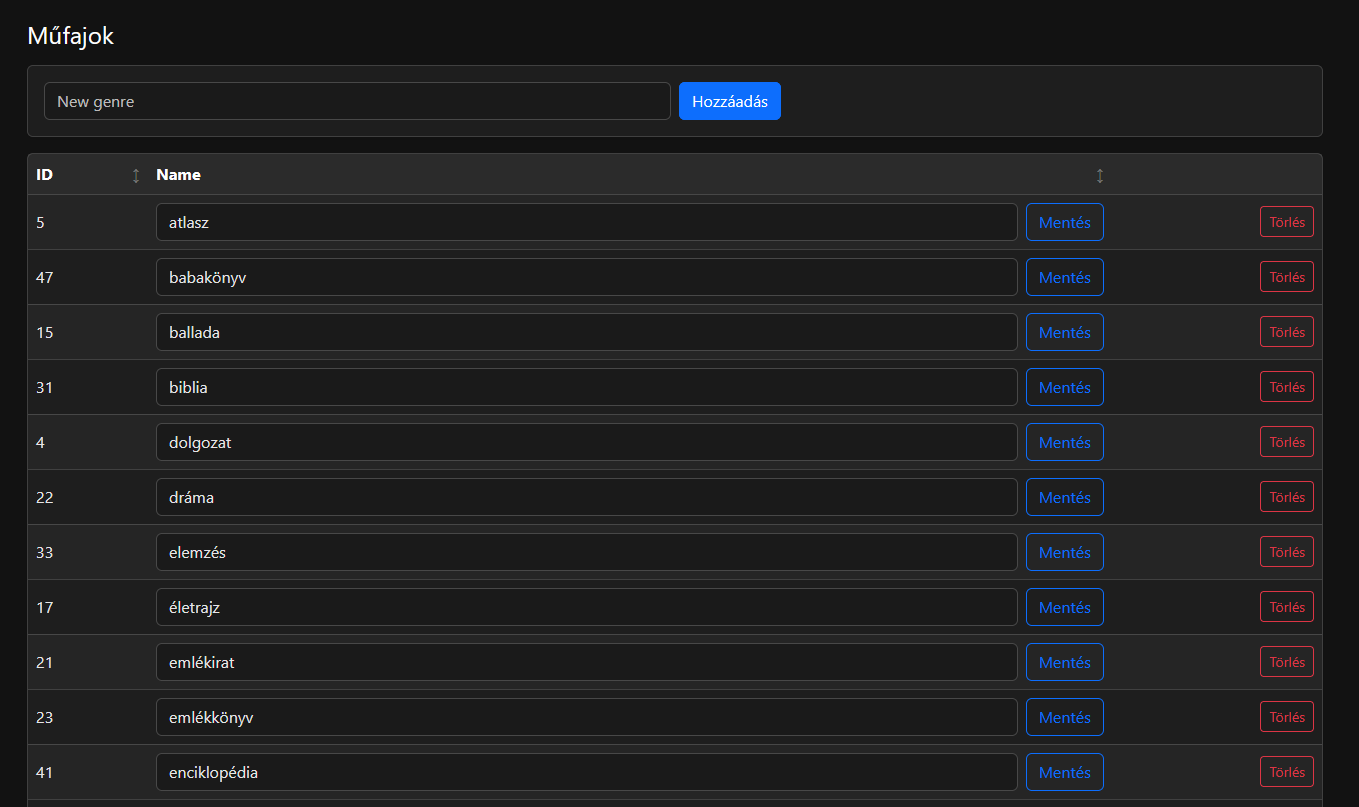
The Reference tables module is used to manage master data, such as genres. Typical actions on the interface include:
- adding a new item from an input field with the Add button
- editing existing items row by row with the Save button
- deleting an item with the Delete button
Master data keeps data entry consistent and ensures that filters and reports remain coherent.
Database-based operation
The system is built on a structured data model that provides:
- fast search and filtering even for larger collections
- consistent master-data management, such as statuses, genres and storage locations
- reliable and consistent generation of reports and exports
- traceability of changes through logging
Thanks to the database connection, the register can be extended and maintained later as well, including with new fields, new reports or additional modules.
Optional: SQLite or other database support
If required, the solution can also be redesigned for SQLite-based operation. This can be useful in environments where simple installation or a portable, single-file database with minimal infrastructure is preferred.
Conceptually, the database layer can also be ported to other database systems, such as MySQL/MariaDB or PostgreSQL. This allows the system to be adapted to future operational requirements and environments.